- Oct 12
- Par Pecron LLC

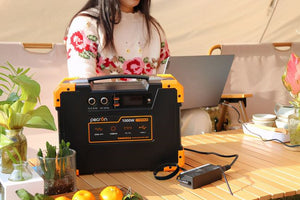
A planned backup-power setup keeps essential devices available without wasting battery capacity.
A winter outage is more than a loss of lights. It can stop the furnace blower, shut down the refrigerator, interrupt internet and phone charging, and leave medical equipment without power. A properly sized portable power station can keep essential devices running indoors, but only if you decide what matters most before the battery starts draining.
This winter power outage checklist explains what to prepare before a storm, which loads to connect first, how to estimate runtime, and how to manage backup power over 24, 48, or 72 hours. The goal is not to power the house as if the grid were still available. It is to keep the household safe, informed, and functional until power returns.
Why Winter Outages Need a Different Power Plan
Cold weather changes the priorities. The National Weather Service winter preparedness guidance identifies loss of heat, power, and phone service as primary concerns during a winter storm, especially when conditions continue for more than a day. Roads may also be difficult to use, so replacing fuel, food, batteries, or charging equipment may not be possible right away.
A useful winter backup plan therefore has to answer four questions:
· Which devices are essential for health and safety?
· How much power do those devices use over a full day?
· How will the battery be recharged if the outage continues?
· Which loads can be turned off, rotated, or avoided?
Winter Power Outage Checklist Before the Storm
Do this work before the forecast becomes an emergency. A charged battery is useful; a charged battery connected to a tested plan is much more useful.
Charge and Test the Power Station
· Charge the unit to the level recommended in its manual. If a winter storm is expected, prepare it for immediate use rather than leaving it at a long-term storage charge.
· Turn on every critical appliance you expect to use and confirm that the power station can handle both running wattage and startup surge.
· Check charging cables, solar adapters, extension cords approved for the intended load, and any manufacturer-approved transfer equipment.
· Update the power station app or firmware before the storm if your model uses remote monitoring. Do not wait until the internet is down.
Build a Critical Load List
Write down the watts and expected daily operating time for each device. Start with the appliance label or manual, then use a plug-in energy meter when possible. Refrigerator compressors, furnace blowers, pumps, and other motor-driven equipment may draw extra power for a few seconds at startup.
If watts, surge watts, and watt-hours are still easy to confuse, use the portable power station size guide before building the list.
Prepare the House
· Test smoke and carbon monoxide alarms, including battery backup.
· Place appliance thermometers in the refrigerator and freezer.
· Charge phones, rechargeable lights, power banks, radios, and medical-device batteries.
· Keep the power station indoors in a dry, ventilated location within its operating-temperature limits.
· Move cords away from doors, heaters, wet areas, and walking paths.
· Know how to open a powered garage door manually.
What to Power First During a Winter Outage
There is no single priority list for every household. Medical needs come first, while homes in very cold climates may need to preserve a safe indoor temperature before anything else. The following order is a practical starting point.
|
Priority |
Load group |
Examples |
How to manage it |
|
1 |
Medical and safety devices |
CPAP, oxygen equipment, medication refrigeration, smoke and CO alarms |
Follow the device manufacturer and healthcare provider instructions. Keep a separate backup plan for life-sustaining equipment. |
|
2 |
Heat-related systems |
Approved furnace blower connection, boiler controls, pellet stove, heated medical equipment |
Verify startup surge and connection method in advance. Never backfeed household wiring. |
|
3 |
Food protection |
Refrigerator or freezer |
Power in cycles when necessary and keep doors closed. |
|
4 |
Communication and light |
Router, modem, phones, radio, LED lights |
These loads are usually modest and provide high practical value. |
|
5 |
Short-duration household tasks |
Microwave, coffee maker, induction cooker |
Run one high-wattage appliance at a time and account for the energy used. |
|
6 |
Comfort loads |
TV, gaming equipment, extra lights |
Use only after essential runtime is protected. |
Medical Devices and Essential Heat Support
Give priority to equipment that protects health or prevents a dangerous indoor temperature. Check the exact power requirement, whether the device needs pure sine-wave AC, and whether a DC adapter is available. Humidifiers and heated tubing can materially increase CPAP energy use, so test the complete nighttime setup rather than relying on the blower rating alone.
A central furnace may use gas for heat but still needs electricity for its blower, ignition, controls, and pumps. Do not assume it can be plugged directly into a portable battery. A furnace connection may require a listed transfer device or other work by a qualified electrician. Never connect a power station to household wiring through a wall outlet.
Refrigerator and Freezer
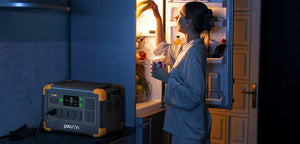
Keep the doors closed and monitor the internal temperature. FoodSafety.gov states that an unopened refrigerator keeps food safe for up to four hours. A full freezer can hold a safe temperature for about 48 hours, or about 24 hours when half full, if the door remains closed.
A refrigerator does not draw its nameplate wattage continuously because the compressor cycles. For better sizing, measure actual energy use or review the detailed portable power station for a refrigerator guide.
Internet, Phones, Lighting, and Information
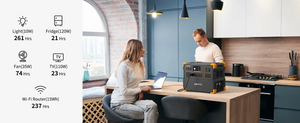
A modem, router, LED lamp, phone charger, and weather radio usually consume far less power than a heating or cooking appliance. Keeping these loads available helps the household receive alerts, contact family, and conserve phone batteries. Turn off extra screens and decorative lighting until the expected outage duration is clearer.

Refrigeration, communication, and efficient lighting usually deliver more value per watt than comfort appliances.
High-Wattage Appliances
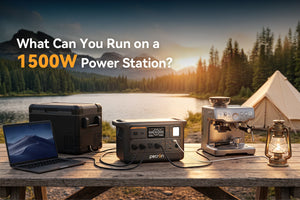
Microwaves, kettles, coffee makers, hair dryers, electric cooktops, and space heaters can consume a large amount of energy in a short time. They may be usable when the inverter is large enough, but using several together can overload the system. Review the guide to running high-wattage appliances off-grid and schedule these loads one at a time.
How to Estimate Backup Power Runtime
A simple planning estimate is:
Estimated runtime (hours) = battery capacity (Wh) × 0.85 ÷ average load (W)
The 0.85 factor leaves room for inverter losses and normal system overhead. It is a planning factor, not a guarantee. Cold battery temperature, inverter efficiency, battery condition, startup surges, and the actual duty cycle of connected appliances all affect runtime.
Example Essential Load
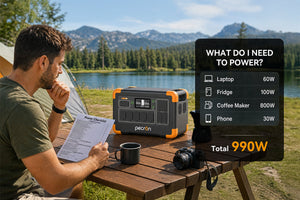
Assume the household is running a refrigerator that averages 80W after compressor cycling, a 12W router, a 10W LED lamp, and 10W of phone charging. The combined average load is about 112W.
1,024Wh × 0.85 ÷ 112W = about 7.8 hours
If the refrigerator uses more energy than expected or cold conditions reduce available battery performance, the result will be shorter. Measure the real load whenever possible.
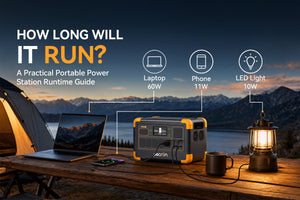
For more examples, see the portable power station runtime chart.
|
Rated capacity |
Planning energy at 85% |
100W average load |
300W average load |
800W average load |
|
1,024Wh |
870Wh |
8.7 hours |
2.9 hours |
1.1 hours |
|
3,072Wh |
2,611Wh |
26.1 hours |
8.7 hours |
3.3 hours |
|
3,840Wh |
3,264Wh |
32.6 hours |
10.9 hours |
4.1 hours |
|
5,120Wh |
4,352Wh |
43.5 hours |
14.5 hours |
5.4 hours |
These figures show battery-only planning time. They do not include solar or other recharging and should not be treated as product guarantees.
A 24 Hour Winter Outage Plan
1. Confirm that everyone is safe and check local outage and weather information.
2. Connect medical equipment and essential heat-support systems first.
3. Keep the refrigerator and freezer closed until power is needed.
4. Use one efficient light in the occupied room and charge phones in scheduled blocks.
5. Avoid space heaters and continuous cooking loads unless the battery was sized specifically for them.
6. Recalculate the plan after two or three hours using the power station display and the actual battery percentage used.
A 48 Hour Winter Outage Plan
Once the outage is expected to continue overnight, switch from convenience to energy budgeting. Group the household into one or two rooms, reduce unnecessary lighting, and run refrigeration only as needed to maintain safe temperatures. Charge phones, radios, and laptops together during planned power windows rather than leaving every adapter connected all day.
If safe solar charging is available, use the best daylight hours to replace energy used overnight. Do not plan around the panel’s nameplate rating. Winter sun angle, clouds, short days, shading, and snow can reduce real production.

Prepare the household kit before a long outage makes travel or resupply difficult.
A 72 Hour Winter Outage Plan
A three-day outage requires a reliable recharge path or a larger battery reserve. Review the forecast, road conditions, indoor temperature, food temperature, remaining battery percentage, and the needs of children, older adults, pets, and anyone using medical equipment. If the home cannot remain safely heated, follow local emergency guidance and relocate before travel becomes more difficult.
· Set a daily watt-hour budget for medical, refrigeration, communication, and lighting loads.
· Rotate devices instead of running everything continuously.
· Preserve a separate battery reserve for overnight medical and communication needs.
· Use solar, vehicle charging, or an outdoor generator only in accordance with the equipment manuals and local safety guidance.
· Check neighbors who may need assistance, without placing your household at risk.
How to Recharge During a Winter Outage
Solar Charging
Portable solar panels can extend runtime when the storm clears. Place panels where they receive direct sun, keep the active surface clear, and use the recommended cable and input range. Keep the power station itself dry and within the charging-temperature limits in its manual.
The U.S. Department of Energy recommends fully charging connected battery storage before winter weather and addressing snow accumulation safely. A solar generator kit can provide a planned battery-and-panel combination, but daily energy production still depends on local conditions.

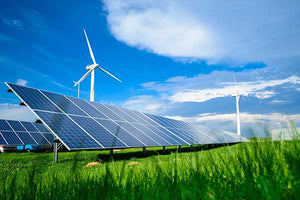
Panels can operate outdoors while the portable power station remains dry and protected indoors.
Vehicle Charging
Vehicle charging may help maintain low-power devices, but it is usually slower than AC charging and can consume fuel. Follow the vehicle and power station instructions. Never idle a vehicle in a garage or another enclosed or partially enclosed space.
Gas Generator Charging
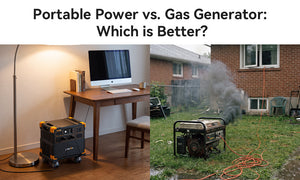
A gas generator can support a longer outage, but it brings fuel, noise, maintenance, and carbon monoxide risks. The U.S. Consumer Product Safety Commission advises operating portable generators outdoors only, at least 20 feet from the home, with exhaust directed away from the house. Never run one in a home, garage, basement, shed, or other enclosed area.
For a broader comparison of safety, runtime, maintenance, and use cases, read portable power station vs. gas generator.
Cold Weather Battery Use and Placement
Cold conditions can reduce available battery performance, and charging limits may differ from discharge limits. Check the model manual rather than assuming that a battery safe to discharge is also ready to charge. If the unit has been stored in a cold vehicle or garage, allow it to reach an approved charging temperature before charging unless the manufacturer specifies an automatic heating process.
· Keep the unit dry and out of snow, rain, and condensation.
· Do not cover ventilation openings with blankets or clothing.
· Do not place the power station beside a space heater, fireplace, or furnace vent.
· Inspect cables and connectors before use, especially after outdoor storage.
· Use only supported charging inputs and accessories.
Choosing Capacity for a Winter Outage
Start with the daily watt-hours required by essential loads, then add a margin for losses, colder conditions, and uncertainty. Output power matters too: the inverter must support the combined running load and any startup surge.
|
Capacity class |
Typical planning use |
Main consideration |
|
Around 1kWh |
Phones, router, lights, CPAP, or short refrigerator backup |
Best when loads are small or daily recharging is available |
|
Around 3-4kWh |
Longer refrigerator support, communications, lighting, and selected household appliances |
A practical range for overnight or multi-load backup |
|
5kWh and above |
Heavier home backup, longer outages, or several planned loads |
Confirm 120V/240V needs, connection method, expansion, and recharge plan |
For example, the PECRON E3800LFP provides 3,840Wh of rated capacity and 4,200W of AC output for substantial essential-load backup. The PECRON F5000LFP increases rated capacity to 5,120Wh and supports 120V/240V output for more demanding home-backup planning. Actual compatibility and runtime still depend on the connected load, surge demand, temperature, and installation method.
You can also compare systems in the home backup power station collection.
Winter Power Outage Safety Mistakes to Avoid
· Do not run a gas generator indoors, in a garage, or close to doors, windows, or vents.
· Do not backfeed a home by connecting a power source to a wall outlet.
· Do not connect more load than the inverter, cable, outlet, or transfer equipment can safely support.
· Do not use a damaged, wet, swollen, or unusually hot battery.
· Do not rely on an electric space heater without calculating how quickly it will use the available battery.
· Do not leave critical medical equipment without a second backup or emergency plan.
· Do not use outdoor cooking appliances, grills, or camp stoves indoors.
Printable Winter Power Outage Checklist
☐ Power station charged and tested with critical devices
☐ Critical-load wattage and daily runtime recorded
☐ Medical-device backup plan confirmed
☐ Refrigerator and freezer thermometers installed
☐ Phones, lights, radios, and power banks charged
☐ Smoke and carbon monoxide alarms tested
☐ Solar, AC, and vehicle charging cables ready
☐ Safe cable routes and dry battery location selected
☐ Water, shelf-stable food, medication, blankets, and flashlights available
☐ Weather alerts and family communication plan confirmed
☐ Generator fuel and safe outdoor placement planned if applicable
☐ 24-, 48-, and 72-hour energy budgets prepared
Frequently Asked Questions
What size portable power station do I need for a winter outage
Add the watt-hours used by essential devices over the desired backup period, divide by the expected usable-energy factor, and check that the inverter can handle both continuous and startup power. A household using only communications, efficient lights, and a CPAP may need far less capacity than one running a refrigerator, furnace blower, pump, and cooking appliances.
Should I power the refrigerator continuously
Not always. Keeping the doors closed and monitoring temperature may allow the refrigerator to be powered in cycles, which can preserve battery capacity. Food safety should determine the schedule, not guesswork.
Can a portable power station run a space heater
It may be able to start and run one if the inverter rating is sufficient, but a typical high setting can consume battery capacity very quickly. Use the heater only according to its safety instructions and calculate runtime before treating it as part of the outage plan.
Can I use a portable power station indoors
Battery power stations do not burn gasoline and do not produce engine exhaust during normal use, so they are designed for indoor use when operated according to the manual. Keep the unit dry, ventilated, undamaged, and away from heat sources. Gas generators must remain outdoors.
Will solar panels work after a snowstorm
They can produce power when sunlight is available and the active surface is clear, but short winter days, clouds, shading, and snow may reduce daily energy production. Plan with a conservative estimate and keep the battery protected from moisture and prohibited charging temperatures.
How often should I test my winter backup setup
Test it before the winter season and again before a forecast storm. Confirm that the battery charges normally, every critical device starts, the cables fit, firmware is current, and the expected runtime still matches the household plan.
Prepare the Power Plan Before the Temperature Drops
The best winter backup setup is not necessarily the one with the largest battery. It is the one matched to the household’s essential loads, tested before the storm, and supported by a realistic recharge plan. Protect medical needs and safe indoor temperatures first, then preserve food, communications, and lighting. Everything else can wait until the outage duration and available energy are clear.